
Hubstudio
Step1:
Before integration, you need to complete the following preparations
1. Download, install and log in
2. Get the proxy IP, please refer to the tutorial: IP Extraction
Step2: Proxy configuration
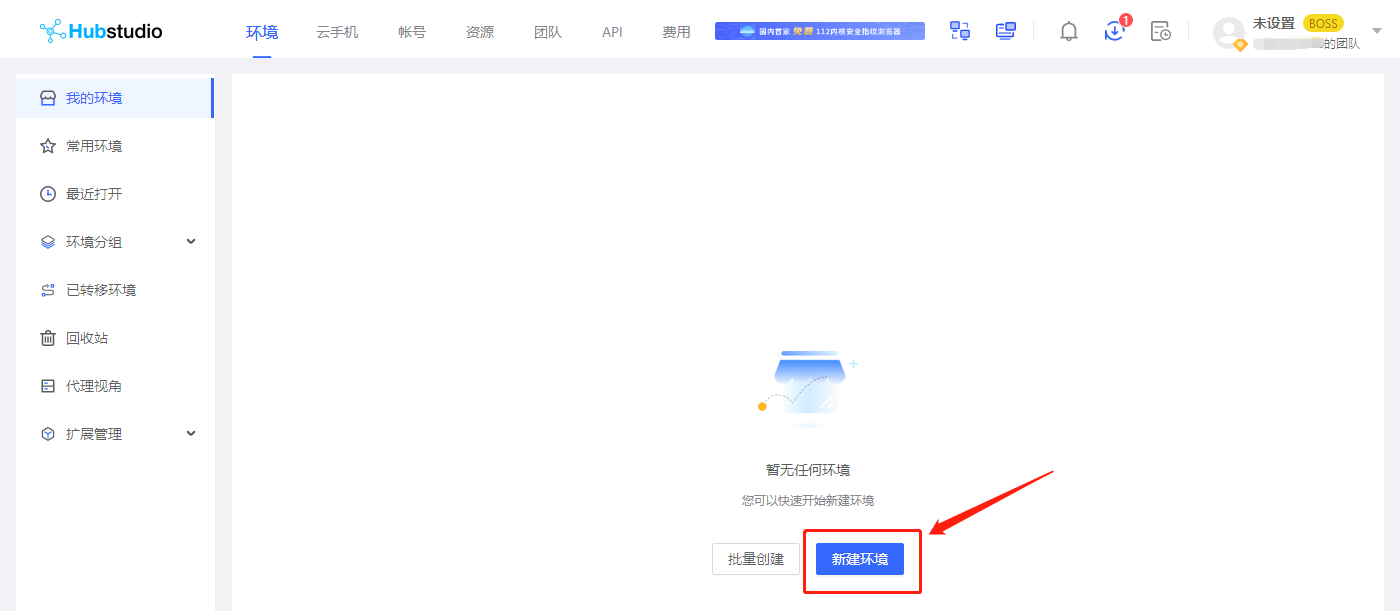
Open the Hubstudio browser, after logging in, click New Environment
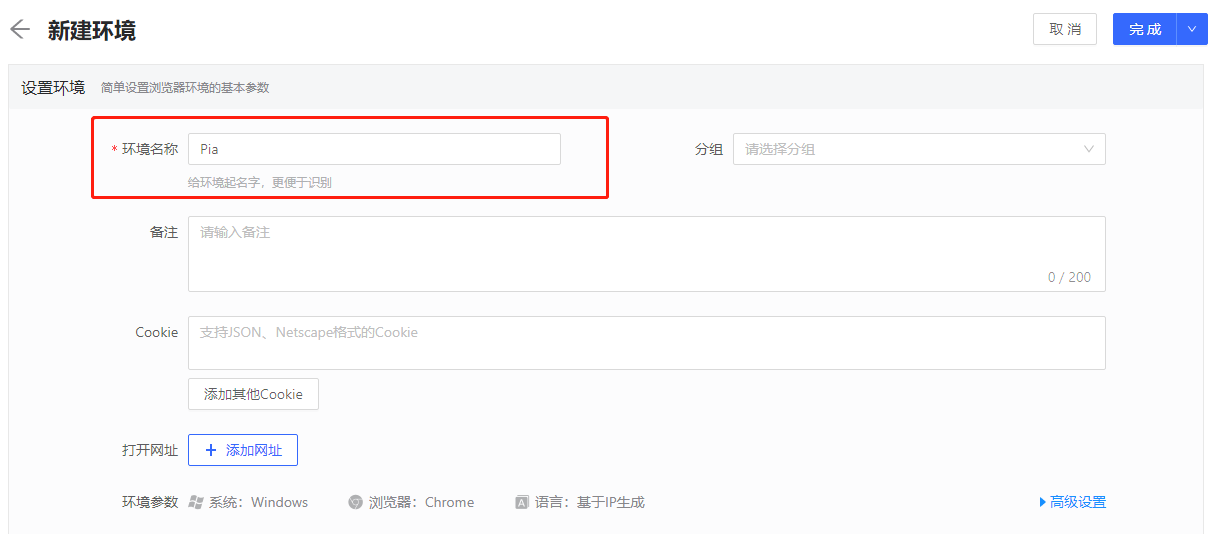
4. give the environment a name
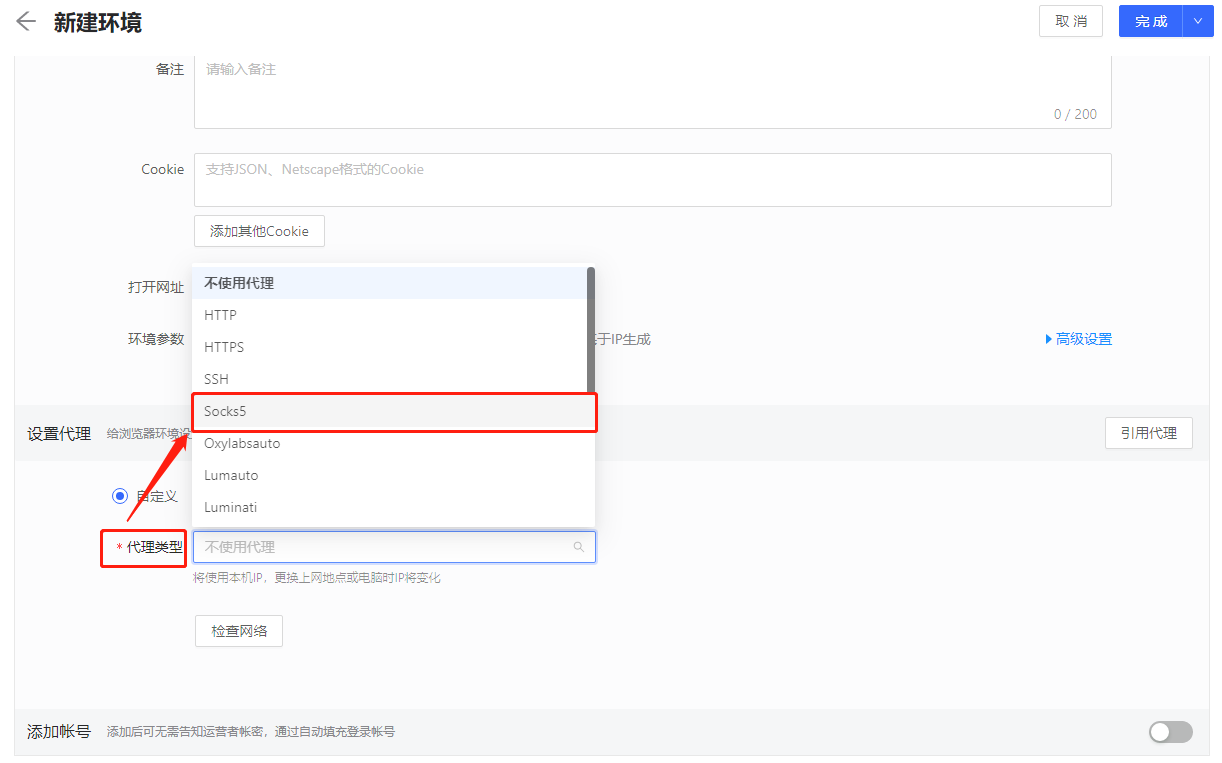
5. Proxy type selection Socks5
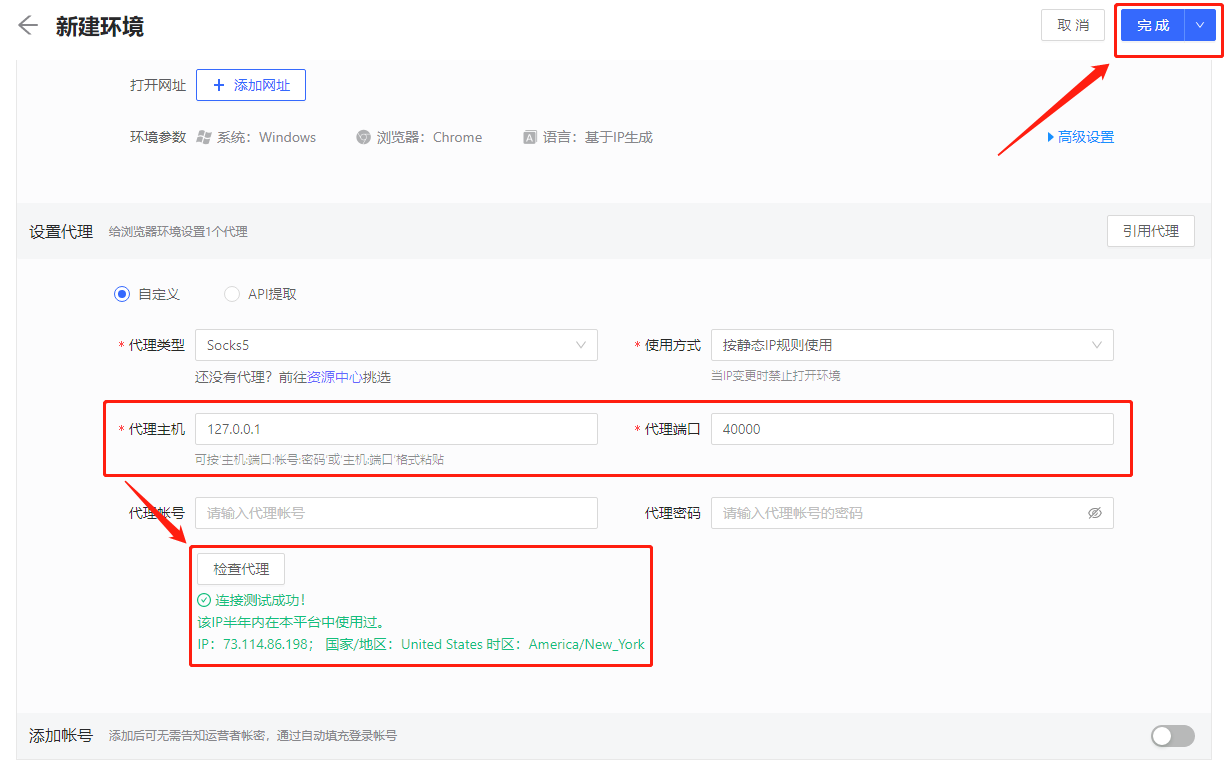
6. Paste the proxy IP and port you copied just now, and click "Check Proxy". After the check is complete, click "Finish"
7. After the final save is complete, click Open to start
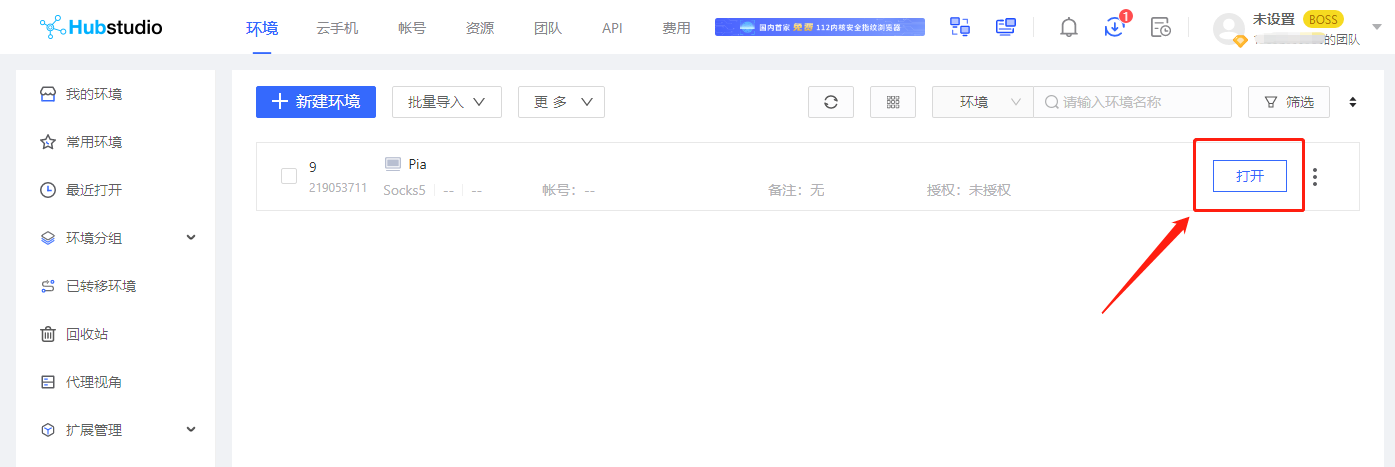
Through the above steps, you have successfully configured the proxy on the Hubstudio anti-detection browser, providing more secure and flexible options for network connections.
Last updated
Was this helpful?